 Library
 Vicky Mason
 34
34
All you need to know about borrowing items
Once you’ve located the books you want, the next step is borrowing them. But you might be wondering about the following…
- How do I borrow a book?
- How many items can I take out at once?
- What if I need more time – can I renew my items?
- Can I reserve a book from Drill Hall Library and Salomons Library if it’s not available at Augustine House?
This guide will tell you everything you need to know about borrowing from the Library.
What can I borrow?
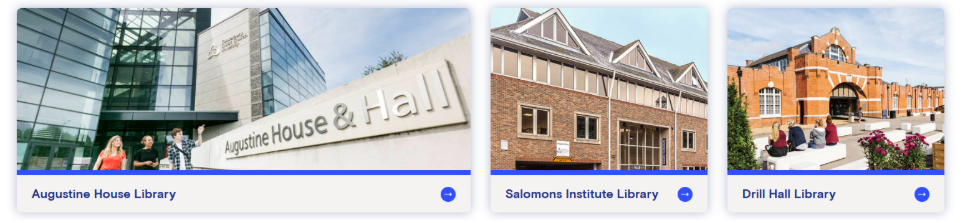
Image above taken from Library Services pages
Augustine House, Canterbury and Salomons, Tunbridge Wells
All Canterbury and Salomons students can borrow:
- 20 items from the 4-week loan collection
- 10 items from the 7-day loan collection
20 items from the Curriculum Resources collection
CCCU students studying at Medway can borrow 40 items across all loan types.
How do I borrow items from the Library?
Once you have found the book you want to borrow, you can use your Student ID card as your library card.
All you need to do is take your Student ID card and book to a self-issue machine and follow the instructions on the screen. Some large items might be too big to issue on the self-issue machine, in which case, take the items to the library point at Augustine House or Salomons library.
Using the self-service machines: borrowing and returning items at Augustine House
Self – service borrowing and returning in Augustine House CCCU Libraries 2025
At Medway, ask a member of staff at the Helpdesk near the library entrance to help you borrow items.
How do I renew my items?
We want everybody to have a positive experience using our libraries. So we make sure your items automatically renew for you. Items will be automatically renewed (in accordance with their loan period) on a rolling basis two days before they are due. However, if the items have been reserved by another user, they will not be automatically renewed, and the item will need to be returned by its due date. You will receive and e-mail if your loaned item has been reserved.
No library fines!
We do not charge library fines on any CCCU items. If you’re late returning an item, you simply won’t be able to borrow anything new until you return it. There are still late charges for items borrowed from other Universities through the Document Delivery Service.
Document Delivery Service
The document delivery service allows you to request items from other libraries if they aren’t available through LibrarySearch. Please note there are limits on the number of document delivery requests you can make per year.
If the item is already on loan? How do I reserve an item?
If all the copies of the item you want to borrow are out on loan, don’t worry you can easily reserve the item, so you are next in line to borrow it. To reserve an item, log in to LibrarySearch and search for the item you need. Once you click on the title of the item, you can click on the “place reservation” button to reserve it. You can reserve up to 10 items at one time.
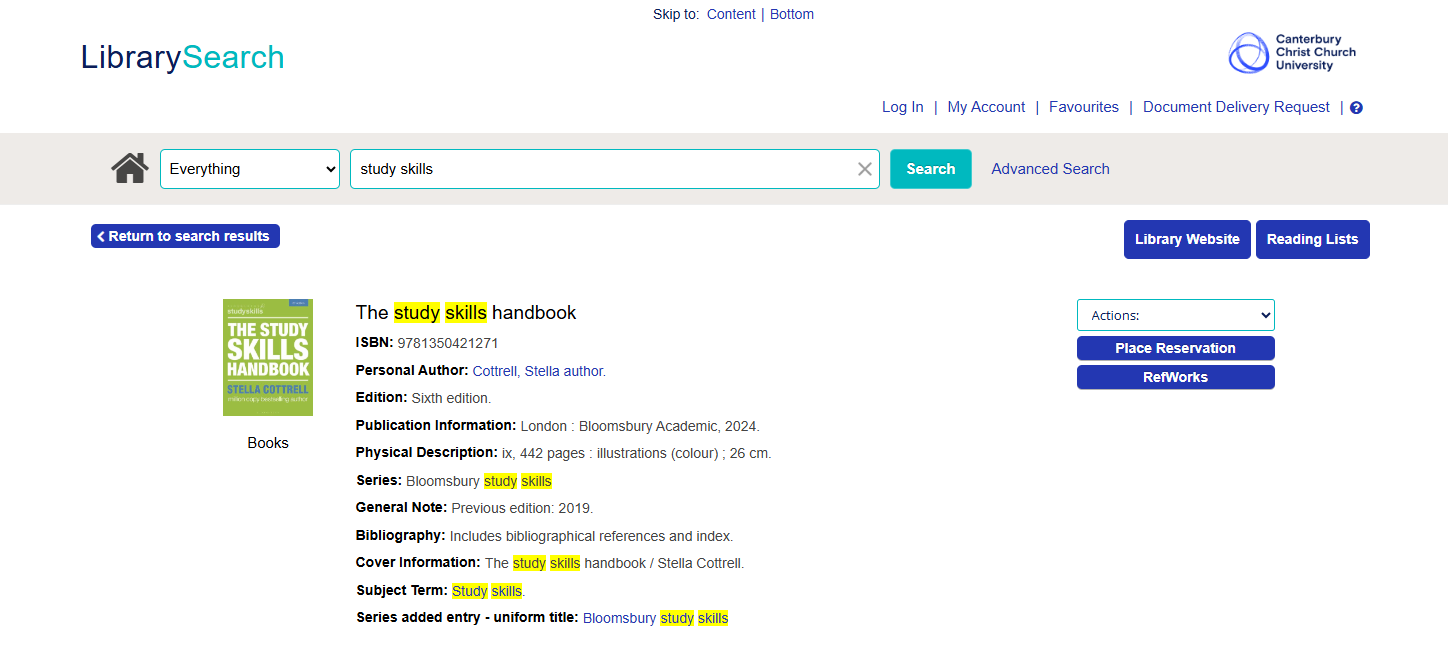
Screenshot taken from LibrarySearch result screen
What if the item is at a different library?
If the item you want is on the shelf at another Library, don’t worry we’ll bring the item to your home library for you to pick up. Place a reservation on the item in the same way as you would above and you’ll be notified by email when it’s ready for collection.
You can’t reserve a copy of a book from another library if there is a copy available on the shelf at your home library. If the library location is different from your home campus, you can place a reservation using the button.
Don’t forget you will have to log into LibrarySearch on another device to process a reservation. The LibrarySearch modules within the library are just for searching for items, you cannot log into LibrarySearch using these PCs.
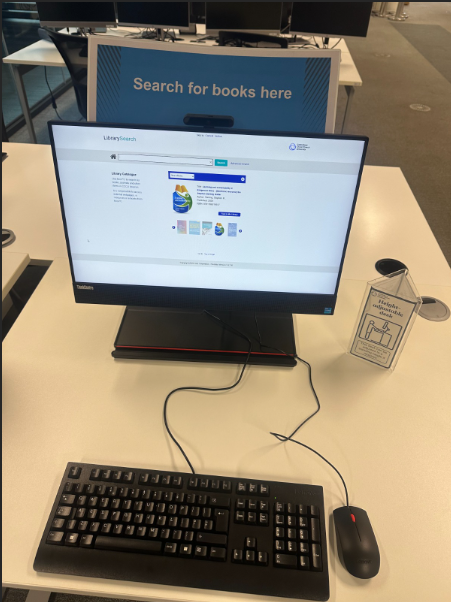
LibrarySearch module, Ground Floor Collaborative study space
Where do I collect my reserved item from?
- We will let you know by e-mail when an item is ready to collect.
- The item will be held for one week for you to collect.
- Items are collectable from your campus library reservations pick-up point.
- Your items will be indicated by a paper slip with your surname. They are held in alphabetical order.
- Please borrow your collected item as normal using a self-issue machine or at the Library Point.
- The reserved items are kept for one week for you to collect.
Remember you cannot reserve items that are on the shelf of your home library!
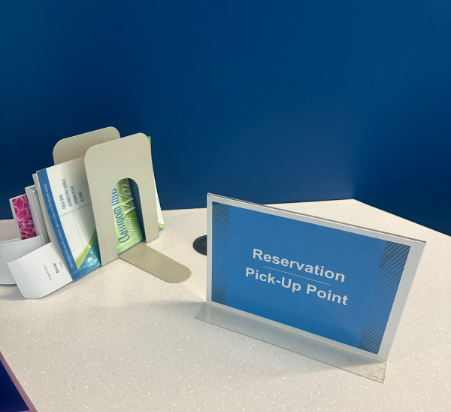
Reservation point at Augustine House Library, Canterbury. Ground Floor Library Point Desk
Need help?
If you’re studying at Augustine House Library you can get help from a member of staff by calling from the help pods located on floor 1 and 2 and if you’re working on the silent study space on floor 3 you can scan the QR Code on floor 3, or you can always visit the Library Point desk on the ground floor. If you’re a student studying at Medway, you can ask a member of staff at the helpdesk near the library entrance.
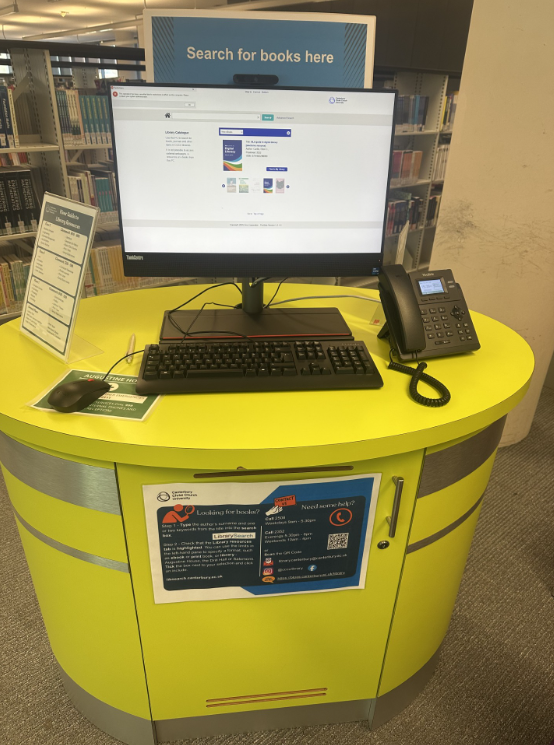
Help pod at Augustine House Library, Canterbury. Second Floor Collaborative Zone.
The main featured image is owned by Canterbury Christ Church University, adapted for this blog by the author.


