 Library
 Vicky Mason
 1076
1076
Did you know that Canterbury Christ Church University students have free access to a range of streaming platforms?
Whether you’re into movies, documentaries or full series, you can enjoy them all at no cost. And the best part? You don’t need to be on campus — you can stream everything from home, the library, or wherever you like. All you need is your CCCU login and password!
BFI Player
BFI Player offers a treasure trove of hundreds of British and European independent films as well as international releases. You can discover rare and essential films from around the world as well as the best new, cult and classic screenings of films in one place. The BFI Player’s subscription collection includes hundreds of British and European independent films, as well as international releases. By registering for your account through our institutional subscription, you will gain access to a free subscription as well as exclusive collections such as ‘Kermode introduces’ and much more!
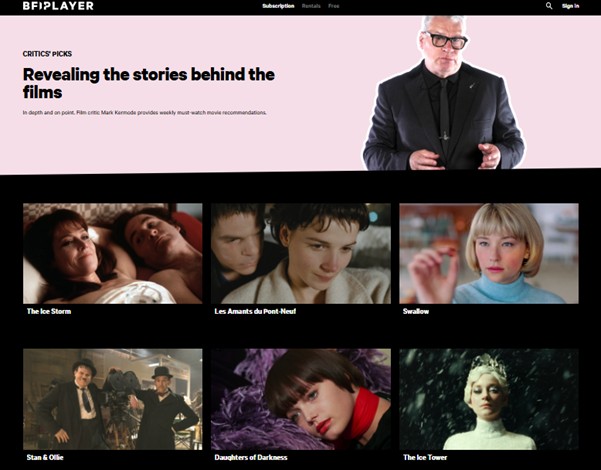
Mark Kermode introduces on BFI Player above image taken from BFI Player (2026).
Accessing BFI Player
If you’re visiting BFI Player for the first time, you’ll need to register before you can access the subscription. To do this, head to LibrarySearch — make sure you’re logged in (you’ll find the login option at the top right of the screen).
Once you’re in, go to ‘Find databases A–Z’ on the left-hand side and select ‘B’ for BFI Player. Instead of clicking straight into the resource, choose the ‘Register here’ button.

Screenshot taken from LibrarySearch, (2025).
Once you’ve registered, you won’t need to do it again until the next academic year. After that, you can go straight to BFI Player via LibrarySearch whenever you need it. If you’re unsure about any part of the process, there’s an online guide right next to the register button to help you out.
Returning users to BFI Player
If you already had registered last academic year you will need to resubscribe again this academic year. The short video below is for those who have a BFI Player account from last year. It explains the simple steps to resubscribe so that you can start watching films again!

BFI Player: how to resubscribe. 2026.
Searching BFI Player
You can search the collections by going to the search button at the top right of home screen.
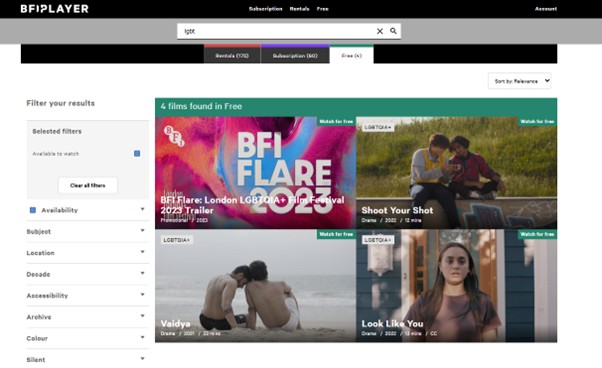
Screenshot taken from Search page in BFI Player. (2026)

Screenshot taken from BFI Player. (2025).
Another way to explore the BFI Player collection is by hovering over the Subscription tab at the top of the homepage. From there, you can browse using the following options:
- Subscription exclusives
- Recently added
- Kermode introduces
- Popular
- Collections
- A-Z
- Coming soon
It’s a great way to discover new content or dive into specific themes.
To find out more about BFI Player and how to access it, check out Database guide available through our Library pages.
Add to your BFI Player watchlist
BFI Player and Kermode recommend to add to your watchlist!
Memoir of a Snail online
Watch Memoir of a Snail online – BFI Player
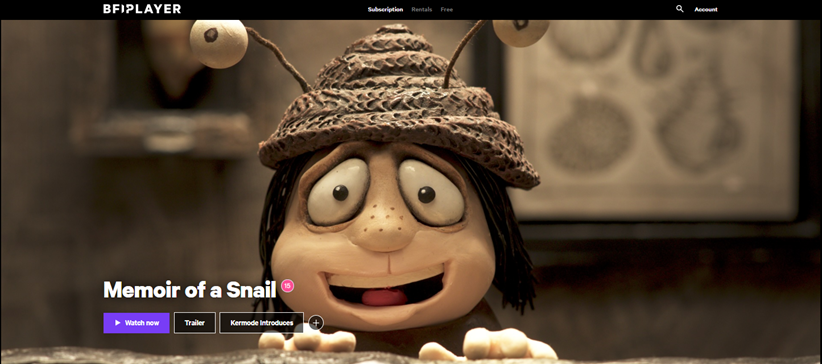
Image above taken from BFI Player, (2026).
Nick Cave and Sarah Snook voice an Oscar-nominated stop-motion classic of divided twins, told with adult candour and uncanny warmth.
Meet Grace. Bookworm, snail wrangler and survivor of a life which took her away from twin brother, Gilbert. She gets raised by eccentrics while he lives with zealots. Grace withdraws into herself, just like the snails she cares for.
Until Pinky arrives. Older and wiser, this woman has ‘done it all’, from making love to John Denver to playing ping pong with Fidel Castro. And she has some advice for the youngster: shed your shell and start living. The Oscar-winning director of Harvie Krumpet and the beloved Mary and Max, Adam Elliot delivers another adult stop-motion knockout, shifting from comic to poignant without sacrificing its humanity. Winner of Best Film at the 2024 BFI London Film Festival.
Kanopy
Kanopy stream thoughtful entertainment straight to your device with no fees and no commercials! Kanopy believe in the power of film to bridge cultural boundaries and bring people together. You can discover a diverse catalogue of film with new films added every month! All you need to do is enter your subscription to view them for free! We’ll show you how!
“Be Entertained, Be enriched” Kanopy, (2025)
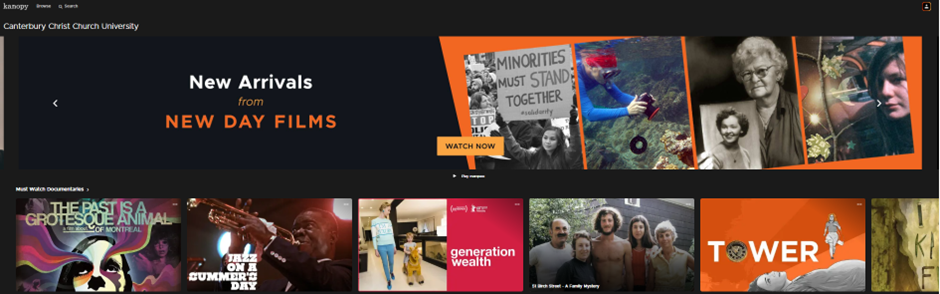
Above Kanopy homepage, (2026).
Accessing Kanopy
Your first ‘port of call’ is again LibrarySearch!
Make sure you’re still logged into LibrarySearch: you can check this by looking at the top of the screen and if your name is displayed it means you’re currently logged into LibrarySearch.
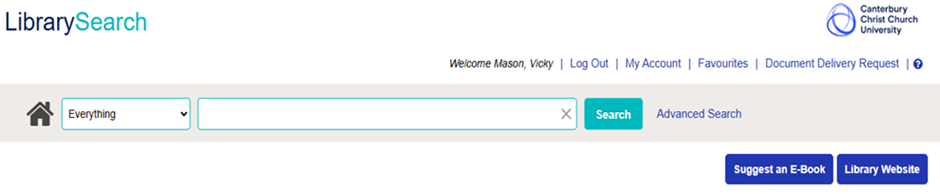
Screenshot from LibrarySearch. (2025).
Select ‘Find databases A-Z‘ to the left side of the page and select K for Kanopy.
As you can see below you also have the option to open the Guide which takes you to one of the library pages which give you more information about what you can do with Kanopy.
Click on Kanopy to access the collection.
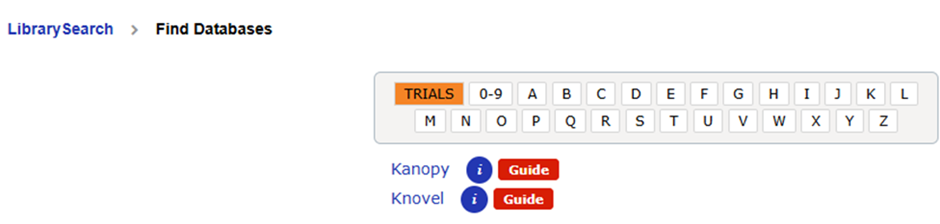
Above screenshot taken from LibrarySearch, (2026).
The following screen will be displayed, where you will be asked to log into the collection using your university credentials. You may have to select Canterbury Christ Church University first.
Select the following tab for CCCU
VISIT THE CANTERBURYUK COLLECTION
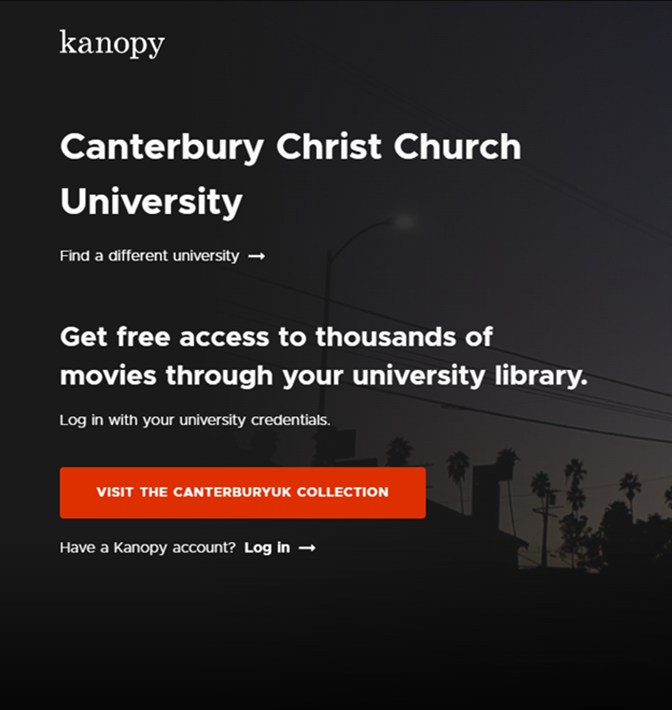
Image above taken from Kanopy sign in page (2025).
Searching Kanopy
Once you’re logged into the collection, you can either browse the main page (as below)
which feature many films and documentaries across different subject areas — or search for something specific.
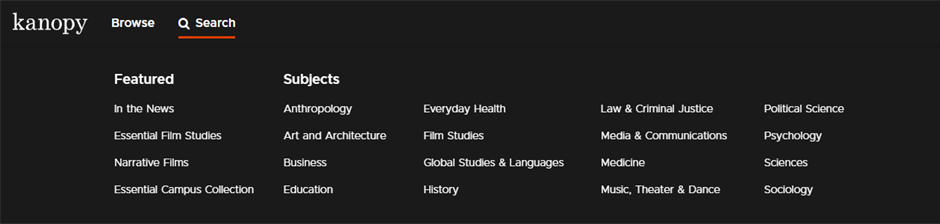
Screenshot taken from Kanopy browse menu (2026).
To search by subject, just type your keywords into the search bar at the top left of the screen. As you start typing, extra filter options will appear on the left-hand side, letting you narrow things down even further.
When you find a series or film you’d like to watch, click on it to see more details. Kanopy will show you information about the item and give you the option to hit Play and start watching.
Add these to your Kanopy watchlist
The Real Taylor Swift: Wild Dreams
The Real Taylor Swift: Wild Dreams | Kanopy
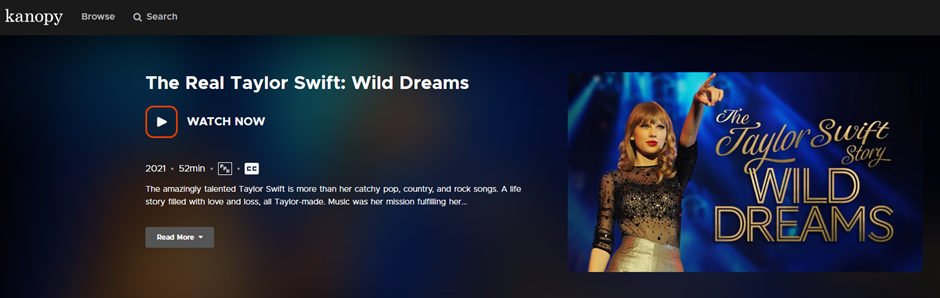
Image above taken from Kanopy, (2026).
The amazingly talented Taylor Swift is more than her catchy pop, country, and rock songs. A life story filled with love and loss, all Taylor-made. Music was her mission fulfilling her wildest dreams.
Westwood: Punk. Icon. Archivist

Image above taken from Kanopy, (2026).
Since igniting the punk movement with ex-partner and Sex Pistols’ manager Malcolm McLaren, Dame Vivienne Westwood has been redefining British fashion for over 40 years and is responsible for creating many of the most distinctive looks of our time. The film blends archive, beautifully crafted reconstruction, and insightful interviews with Vivienne’s fascinating network of collaborators, guiding us on her journey from a childhood in postwar Derbyshire to the runways of Paris and Milan. This is an intimate and poignant homage to one of the true cultural icons of our time, as she fights to maintain her brand’s integrity, her principles and her legacy in a business driven by consumerism, profit and global expansion.
Nominated for the Grand Jury Prize for World Cinema at Sundance Film Festival.
Box of Broadcasts (BoB)
Box of Broadcasts is a demand TV and Radio service for education. The service is academically focused which allows students and staff to record programmes from over 75 free – to – air channels but also search the archive or over 2.2 million broadcasts.
Image Taken from BoB sign in page, (2025)
The site is fully accessible and works across multiple platforms including Desktop, iOS and Android.
You have access to:
- Create your own playlists
- Create your own clips and clip compilations
- Search for programme transcripts and subtitles
- Able to have one click citation for easy referencing
If you would like to find out more about the above you have a guide available again through LibrarySearch.
BoB (Box of Broadcasts) – My CCCU – Canterbury Christ Church University
Accessing BoB (Box of Broadcasts)
Box of Broadcasts is available through LibrarySearch. Just go to ‘A-Z of Databases‘ and select B. From here you’ll have a long list of databases that begin with B. Scroll down to Box of Broadcasts.

Screenshot above taken from LibrarySearch. (2025)
Select Sign in button and then type Canterbury Christ Church University and Click Go.
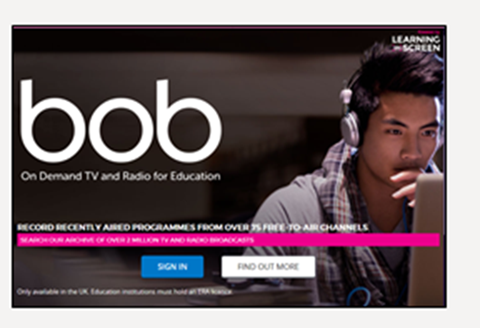
Screenshot taken from BoB homepage, (2025).
Setting up your Box of Broadcasts account
If this is your first time of logging into Box of Broadcasts you will need to register.
Simply enter your CCCU email and name within the necessary fields and select Register! You’ll receive an email from bufc.ac.uk you will need to click on the link within the email, this will redirect you back to Box of Broadcasts where your account will be confirmed and you’ll be already to go!
Searching Box of Broadcasts
You can start by entering a simple search term at the top of the page — for example, “History.”
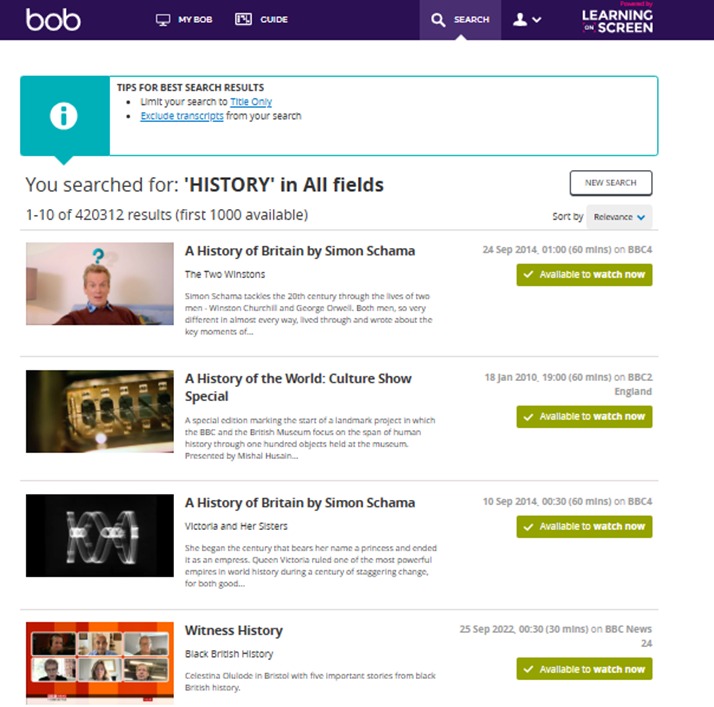
Screenshot of results for the search term for ‘History’ (2026)
Once your results come up, you can refine them using the relevance tab to get more targeted content.
Want to narrow things down even more? Just open the search options! You can filter by year, choose whether to include transcripts, and more — all to help you find exactly what you’re looking for.
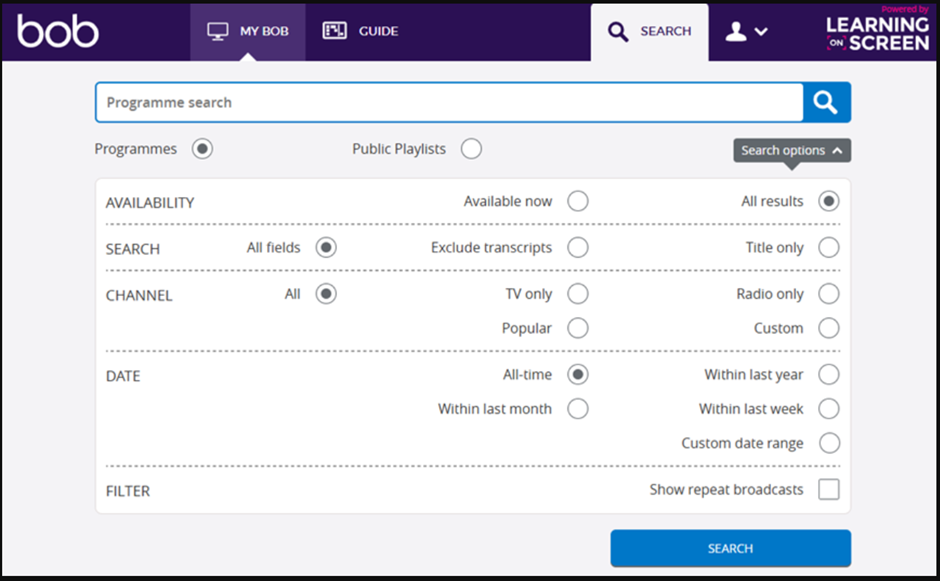
Screenshot taken from Search screen on BoB. (2025)
Searching for Public Playlists
Did you know you can find playlists of programmes that academics have already put together on a range of different topics? They’re all ready for you to explore and use in your studies.

Screenshot taken from Search screen on BoB. (2026)
If you’re searching for something like Black History content, try typing in your keywords and then filter the results to show only Public Playlists. You’ll unlock a range of curated playlists made by other academics — useful and saves you time!
Add this series to your Box of Broadcasts (BoB) watchlist
The Great British Sewing Bee
View Record: The Great British Sewing Bee · BoB
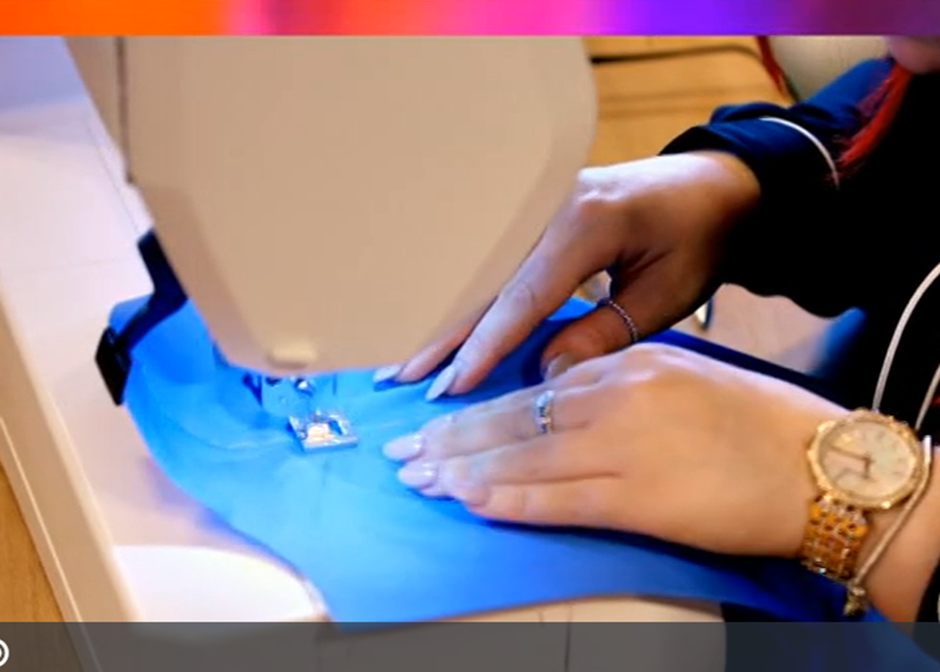
Image taken from programme via Box of Broadcasts, (2026).
Ready, steady, sew! Amateur sewers compete to impress judges Patrick Grant and Esme Young, hoping to be crowned Britain’s most sensational seamster.
“The Great British Sewing Bee is available on BoB. You can catch up on all the series so far!”
Further information

Want to explore how streaming services can support your studies? Get in touch with the Learning Skills Team or visit the Learning Skills Hub to find out more. Happy viewing!
Main image purposed from Adobe stock created by Dmy downloaded part of the Education License.


